For Mac · 3 days free

Your Sony settings.
Finally untangled.

Browse your camera’s general settings, edit supported controls, and save selected settings as reusable profiles.

macOS 14.1+ Profiles stay local Camera support included
AlphaConfig 0.7.2 connected to a Sony Alpha 7 V, showing the current Camera Settings workspace.
AlphaConfig 0.7.2 · A real Sony Alpha 7 V, connected over USB
BrowseCamera settings in one place
LocalProfile storage
CompareSee what will change
ReuseYour favorite setups
Inside AlphaConfig

Your camera setup.
Clear at a glance.

CAMERA SETTINGS

Find it without
the menu hunt.

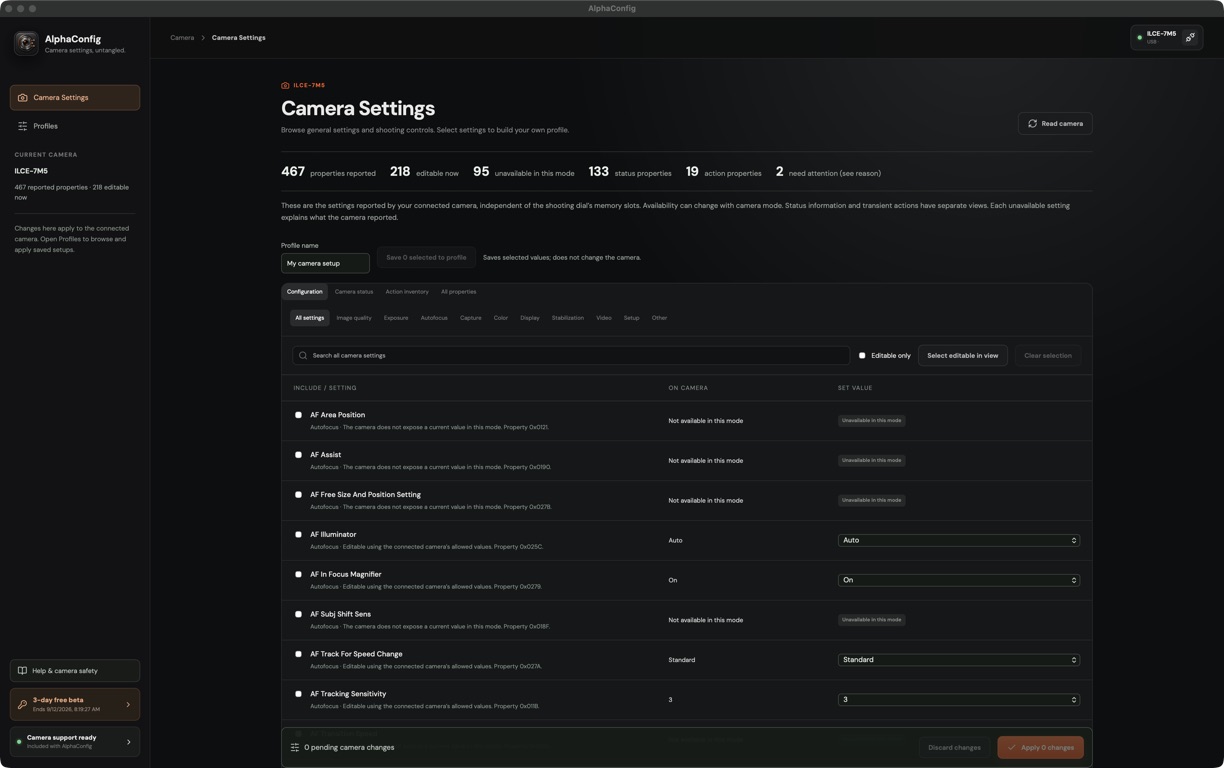
Browse settings by category or search for the control you need. See your camera’s current values and which settings you can change from your Mac.

Exposure, autofocus, image quality, and more—all in one place.
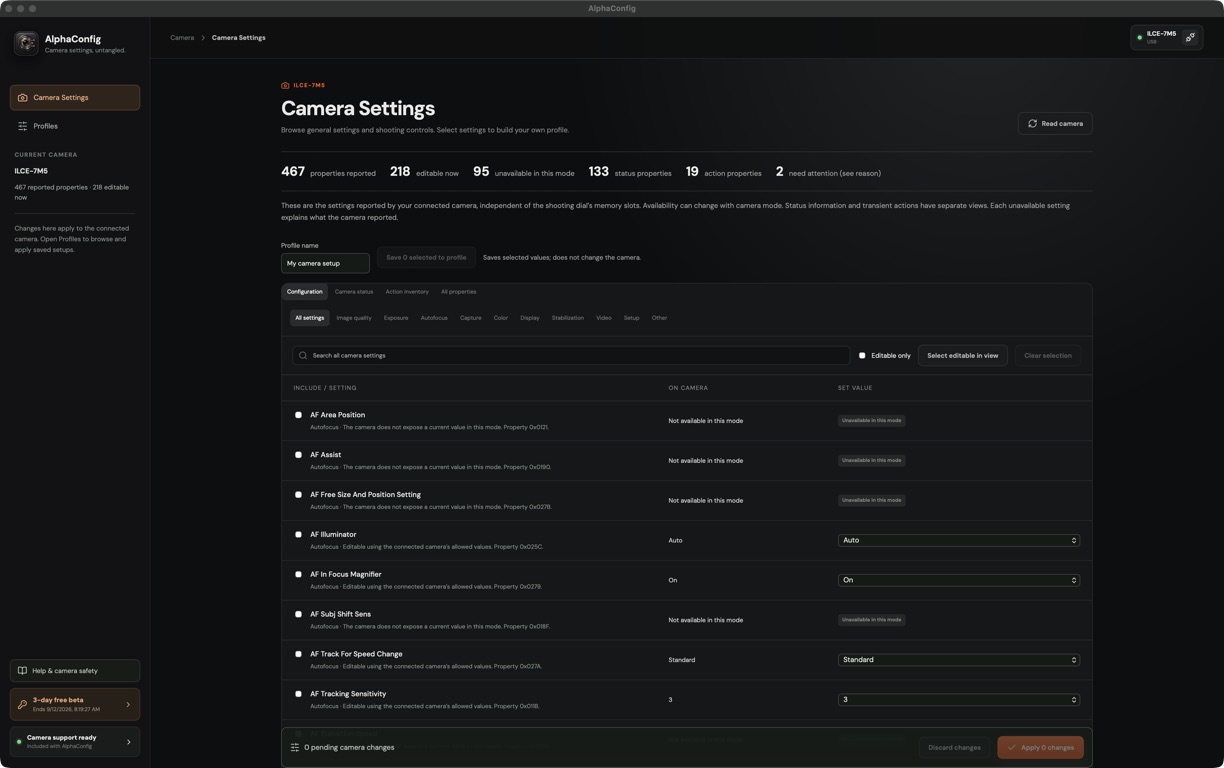
Current Camera Settings workspace with categories, a search field, and camera values.
Browse and search your connected camera’s settings. Enlarge ↗
SAVED PROFILES

Keep your go-to
setups close.

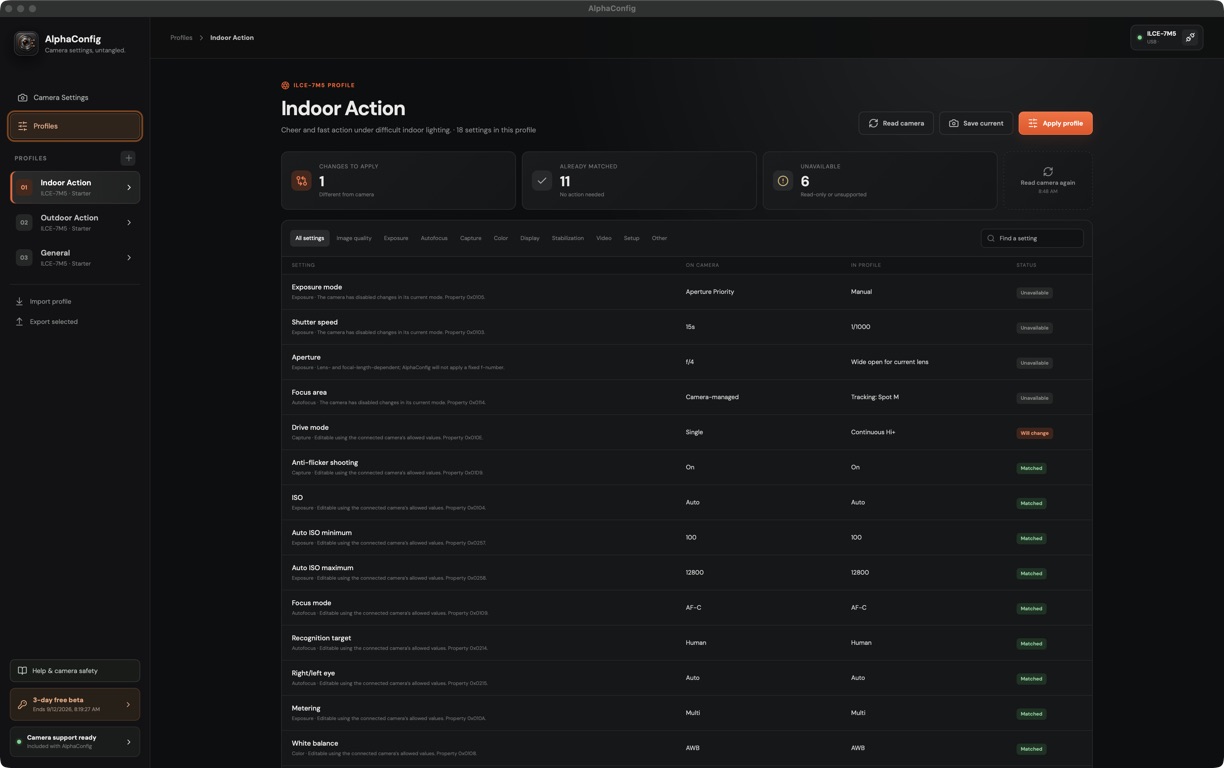
Save selected settings as a named profile for the way you shoot. Keep separate setups for different sessions, then return to them when you need them.

Start with Indoor Action, Outdoor Action, or General. Your saved profiles stay on your Mac.

Profiles workspace with Indoor Action selected and Outdoor Action and General available in the sidebar.
Your saved setups, ready to compare with your camera. Enlarge ↗
COMPARE BEFORE APPLYING

Know exactly
what will change.

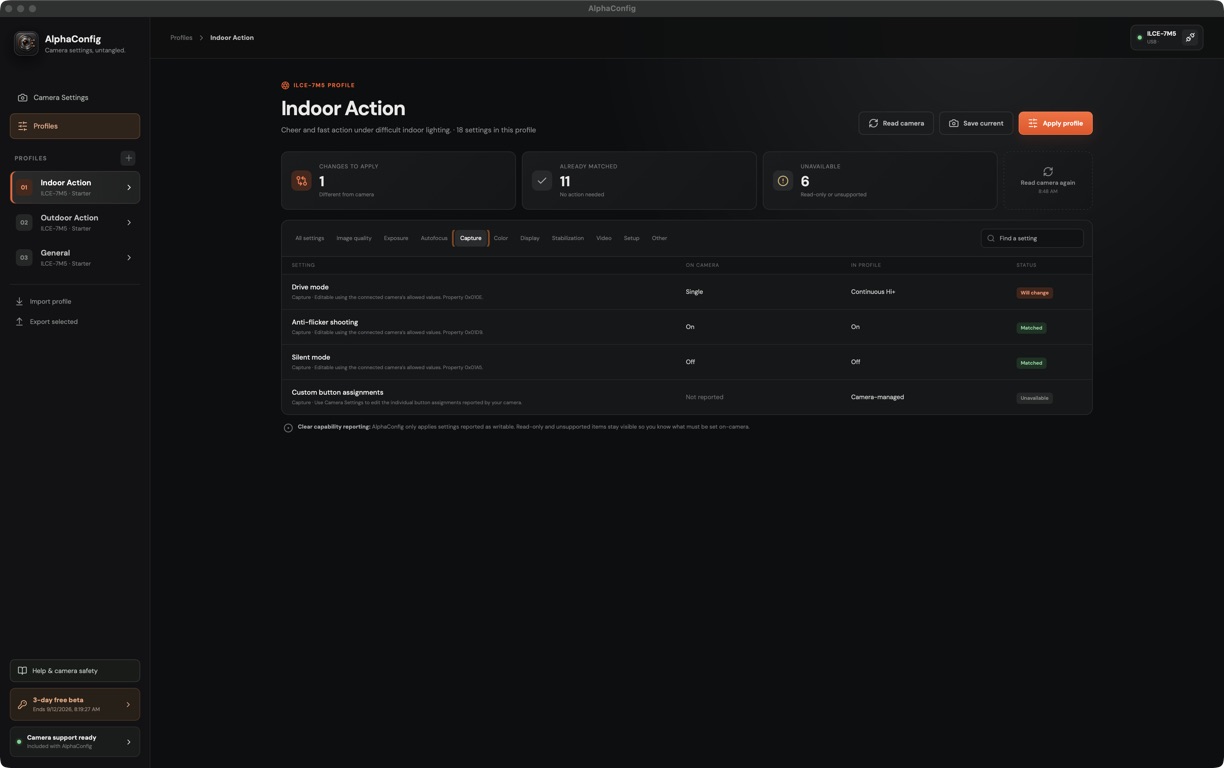
See the camera’s settings beside your saved profile. AlphaConfig shows what will change, what already matches, and what needs your attention on the camera.

Here, drive mode will change from Single to Continuous Hi+. Anti-flicker and silent mode already match.

Capture settings comparison showing drive mode will change, anti-flicker and silent mode matched, and custom button assignments unavailable.
Review the differences before selecting Apply profile. Enlarge ↗
A simpler workflow

From camera to profile
in three clear steps.

⌁
01

Connect

Camera support comes with AlphaConfig. Prepare a supported Sony camera for remote shooting and plug it in over USB.

USB · Camera support included
⇄
02

Compare

Choose a saved setup and see exactly how it differs from your camera. Review shutter speed, focus, and more before making a change.

Shutter speed1/5001/1000
✓
03

Apply

Send the settings your camera allows you to change. See which controls need your attention on the camera itself.

Review before you apply
Simple pricing

Try it free for 3 days.
$14.99 per year.

Try every feature for 72 hours from first launch. Then unlock editing camera settings and saving, importing, and applying profiles for $14.99 USD per year, plus applicable tax. Renew manually each year; no automatic charges.

Unlock for $14.99/year ↗
01

All features free for 3 daysYour beta starts when you first open the app.

02

One year of full accessActivate your key once. Work offline.

03

Your profiles stay accessibleView and export saved profiles at any time.

Download and try every feature free for three days. No payment details required. Purchase a license whenever you’re ready.

Camera compatibility

Find your Sony.

Find your camera below. The Alpha 7 V is our first tested model; the other listed cameras have not all been tested with AlphaConfig. Available settings vary by model.

!

What about older cameras?The α6000 / ILCE-6000 is not currently supported by AlphaConfig.

View Sony’s official compatibility list ↗
Camera compatibility list32 cameras
Setting availability varies by camera, firmware, lens, and shooting mode.
AlphaConfig icon
Sony settings, untangled

Spend less time in menus.
Spend more time shooting.

Three days free for Apple Silicon Macs running macOS 14.1 or later. Camera support is included. Then unlock for $14.99 USD per year.

Checking the latest release…

Download verification